
Why Tab Mode exists#
Not every agent session wants a chat window. Many developers run Codex CLI or Claude Code inside a terminal and like it that way, sometimes five or ten at a time. Tools such as Warp showed that a terminal can be a first-class agent environment, with agents running side by side and a layout that suits long-running work. Tab Mode is Nodal’s answer for people who want that: real terminals, the way a terminal ought to behave, in the same app that also hosts conversation-style sessions.
The original performance target was concrete: eight to ten concurrent terminal sessions without degradation, matching the multi-terminal grid in the early UI references. That figure is only claimed after a packaged-build soak test, never from a dev-mode run or placeholder windows, and the test plan stages it from two to ten terminals, each a 30-minute soak repeated three times, measuring CPU, memory, input-to-echo latency, output loss and crashes.
PS project> codex
> Fix the flaky steer test
• Working: reading tests/unit/steer.test.ts
• Edited 1 file (+3 -0)
✓ Done. The suite passes.
PS project> claude
> Draft release notes for 0.2.0
• Reading the changelog
? Run git log --oneline? Waiting for you.
What a terminal is, here#
Each Tab Mode terminal is a genuine shell, not a simulation. Nodal uses xterm.js to draw the terminal and the node-pty library, which on Windows sits on top of ConPTY (Windows 10 version 1809 and later), to talk to the shell. This is the same pairing used by VS Code and recommended independently by the research that preceded the build. A separate PTY layer is used on purpose: Tab Mode does not route through Codex’s own process APIs, which are meant only for commands Codex itself decides to run.
The shell picker lists what is actually on your machine: PowerShell 7 (found by looking on the PATH, because the Microsoft Store package does not leave the registry keys an installer would), Windows PowerShell, Command Prompt, each WSL distribution (Nodal decodes the UTF-16 output of the distribution list explicitly and hides Docker Desktop’s internal utility distributions) and your own Windows Terminal profiles. Anything that is detected is listed; anything that is not detected is absent rather than greyed out; anything that is listed but not yet wired is dimmed with the reason.
Pages and windows#
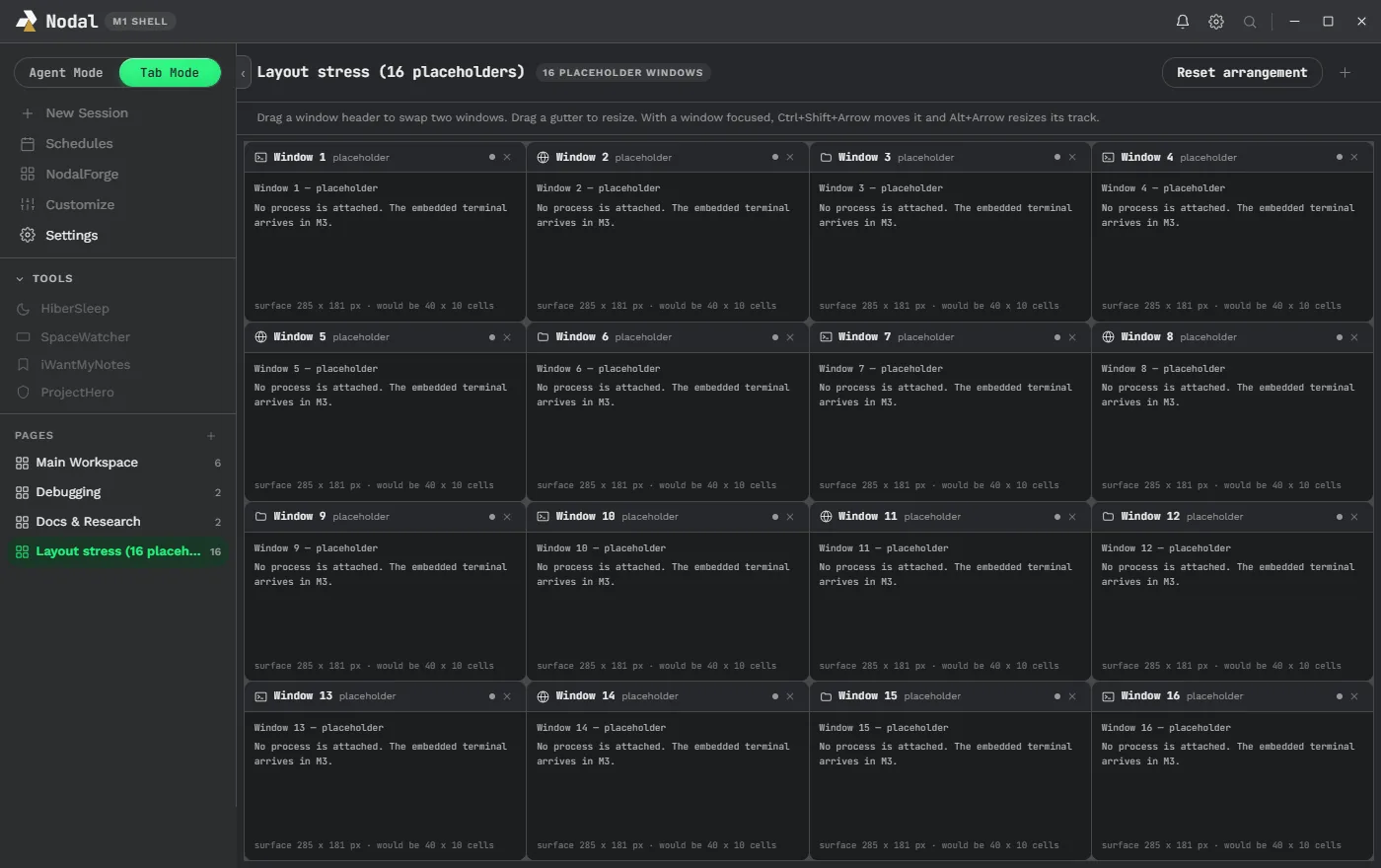
Tab Mode organizes work into pages. A page is a named arrangement of windows, shown in the sidebar with a count, for example Main Workspace, Debugging and Docs & Research. A window is a terminal, a web browser or a file explorer. You can have as many pages as you want, and the arrangement of each is remembered.
Arranging windows#
The layout model is a row of columns, the same way Warp does it, so a vertical divider always runs the page’s full height and a horizontal divider resizes only its own column. The default is one full-height column plus a two-per-row grid for the rest. The controls are direct:
- Drag a window’s header onto another window to move it. The side you drop on decides where it lands; dropping in the middle swaps the two.
- Drag a divider to resize, or double-click one to make the two windows either side equal.
- With a window focused,
Ctrl+Shift+Arrowmoves it andAlt+Arrowresizes it, so the whole layout works from the keyboard. - Reset arrangement returns the page to defaults and, since a fix in the build history, no longer closes the windows you opened.
A hard-won lesson sits behind that last bullet. An early version identified a window by its position in the layout tree, so closing or dragging one window killed other windows’ terminals when their positions shifted. Windows are now a flat list keyed by identity and placed from computed rectangles, so no rearrangement can unmount a terminal. This was proven by process ID in the packaged build, not just in tests.
Windows that are not terminals#
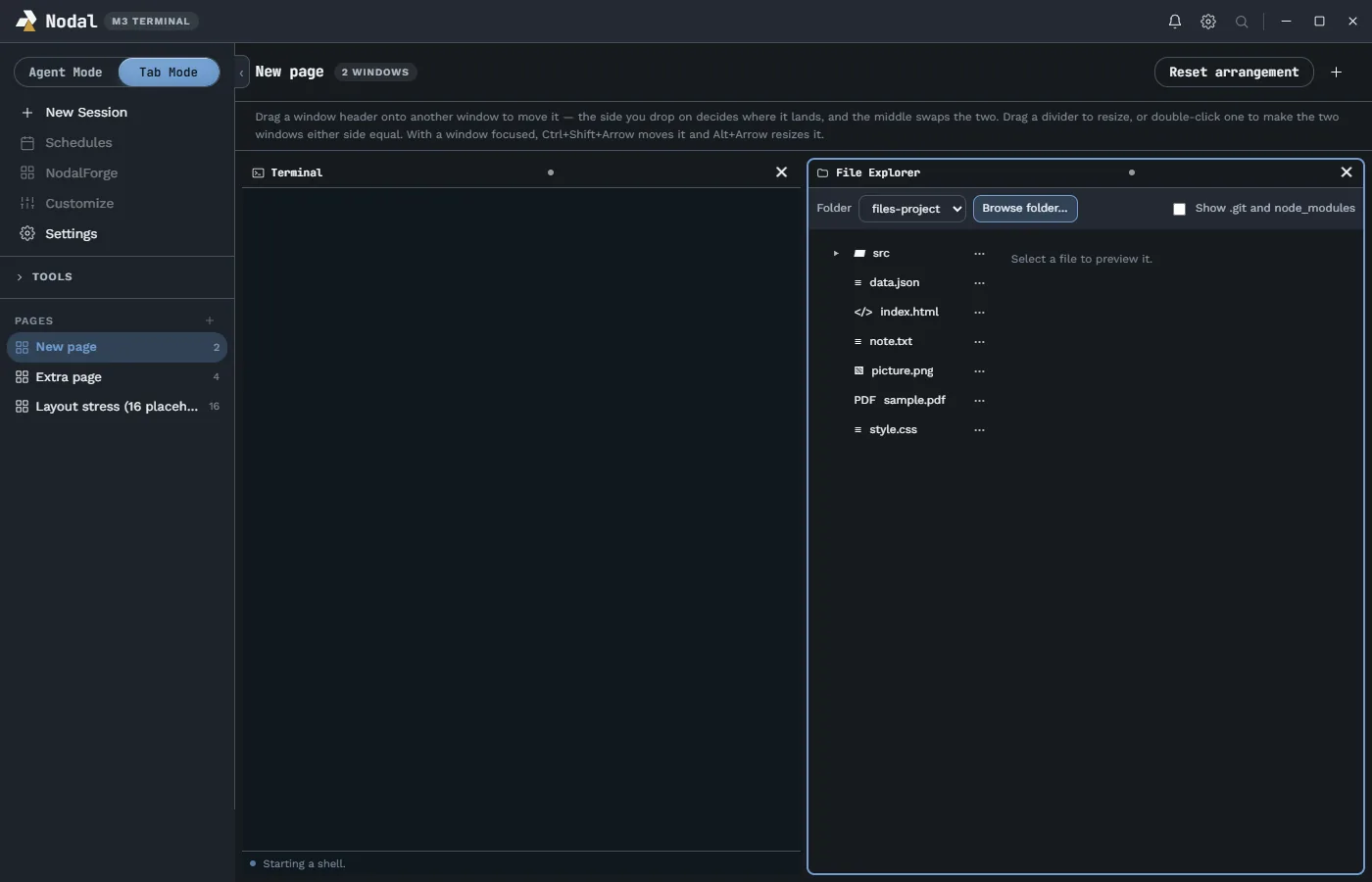
A new-window chooser offers more than a shell. A Web Browser window is sandboxed and loads web pages only. A File Explorer window shows a project folder with previews and editable text tabs. They are the same tools as the Agent Mode sidebar, available as free windows in Tab Mode so you can park a browser next to two agents and a diff.
Terminals keep running#
Switching from Tab Mode to Agent Mode does not close your shells. A fresh start runs no shell; the first visit to a page starts that page’s terminals, and a mode or page change leaves them running with the same process IDs. Measurement corrected a worry here: Nodal itself owns about 15 MB of every roughly 150 MB a terminal costs, because the rest is the price Windows charges for a PowerShell session and its console host. The renderer default is the DOM renderer, chosen after measuring rather than assuming the faster-sounding option.
When you do close a window, Nodal warns if a foreground task looks active. That detection works by listing child processes of the shell, which sees real external programs such as Codex CLI or Claude Code, but cannot see a built-in shell command such as Start-Sleep. The limitation is recorded rather than hidden, and the result only controls advice. It never grants permission to kill anything.
Copy, paste and keys that stay out of the way#
Highlighting text copies it. Ctrl+C copies when there is a selection and still interrupts the program when there is not. Ctrl+V pastes text into a plain shell, Codex CLI and Claude Code, all checked on real versions. Image paste works into Codex and, measured plainly, not into Claude Code, and the notes say so rather than claiming it. Ctrl+S and Ctrl+Enter are send keys in some agent CLIs and are never claimed by Nodal.
Ownership and safe shutdown#
Because Nodal starts these shells, it takes responsibility for them. At creation it records the process ID, the OS-reported process start time, the executable path and the Nodal session ID. Before any force-kill it re-reads the start time and refuses to act on a mismatch, because a changed start time means the number was reused by an unrelated program. Force-kill walks the child process tree, not just the top handle. Any missing, stale or conflicting identity blocks termination. The packaged test for this covers nested processes, unrelated processes, PID reuse, concurrent exit, active output and concurrent resize, and recorded zero wrong-process terminations.
An honest open item sits next to it: a native crash named remove_pty_baton occurs in the underlying node-pty library when two shells end at nearly the same moment, because a shared list is edited from one watcher thread per terminal. Nodal serializes its own terminations as a mitigation and claims no fix, since the repair belongs upstream. The security page and architecture page describe the surrounding design.
Running agents inside Tab Mode#
Because Tab Mode is a real terminal, any command-line agent works there: Codex CLI, Claude Code, Gemini CLI, OpenCode or your own scripts. Nodal does not need to understand them to host them. For extra awareness, the notification center is designed with two sections, one for Agent Mode and one for Tab Mode, and the earlier ToolTab v1 app was built specifically to detect agent sessions running in Warp, Windows Terminal, VS Code and Cursor from the outside. The planned direction is that anything running in a Tab Mode window can post to the notification center, so a long-running agent in the sixth pane is not forgotten.
A typical Tab Mode page#
A common arrangement is one tall column on the left holding a long-running agent, and a two-by-two grid on the right. In the grid, one window runs a build or test watcher, one runs a second agent on a different task, one is a browser pointed at a local development server and one is a file explorer on the project folder. You can drag the browser to the left column if you want it bigger, make a divider wider by dragging it and double-click it to equalize the two sides. Because windows are identified by identity rather than position, none of that touches the terminals running underneath. A second page can hold a completely different arrangement, for a different project, and the sidebar shows how many windows each page has so you can jump between them.
What is still open#
- Keeping terminals alive when the main window is closed to the tray is an idea with seven open lifecycle questions, not a feature.
- Launching a session into an external terminal such as Windows Terminal (
wt.exe) with a chosen folder is a recorded design note. - Plugins that open their own Tab Mode windows are the intended long-term shape of the plugin system.
Follow the roadmap for the live status, and watch Tab Mode being tuned on the livestream.